 Yap Yap
LIGHT CLEANUP
Choose how much it cleans.
Pick None, Light, or Medium. Keep your exact words, lose only the ums, or let your AI reword for clarity. With Light or Medium, changes of mind and cut-off false starts go too.
Speak where you already write. Yap Yap cleans up your dictation and can paste it at your cursor. Choose your own providers for transcription and AI writing.
Supported providers
 OpenAI
 Groq
 Gemini
 Claude
 Deepgram
 ElevenLabs
From a passing thought to the right words.
Without the keyboard getting in the way.
Natural pauses, filler words, a change of mind. Yap Yap cleans up the delivery while keeping what you meant.
No microphone or API key needed for this example.Every part of the cleanup is a setting you can see and change.
Not a black box with an on/off switch.
Pick None, Light, or Medium. Keep your exact words, lose only the ums, or let your AI reword for clarity. With Light or Medium, changes of mind and cut-off false starts go too.
Tap your shortcut to finish, hold it to pause and resume. Press Esc to cancel, with a few seconds to undo.
Add words yourself or let Yap Yap add the ones you correct. Tell it what the recognizer keeps writing, and it swaps in the right spelling.
Best,
Lina Farouk
Product Design · Studio North
+20 100 555 0199
Save a signature, an address, or a reply you send every day. Say its phrase while dictating and Yap Yap inserts the saved text, line breaks and all.
بكرة الـ meeting الساعة ٣، ابعتلي الـ agenda
Tell Yap Yap the languages you speak, or let it detect them. Mixed-language sentences keep their words, and right-to-left text reads right.
Speak a question and get a short answer in a readable card. When it needs fresh facts, it can search the web with providers that support it. Copy the answer as plain text.
Illustrative answer. Web search depends on your provider and model.Turn on strong noise reduction to remove voices and traffic behind you. Best for noisy places, since it can lower accuracy in quiet ones. Silent recordings are skipped.
Choose who listens. Choose who writes.
Mix providers, swap models, and use the API keys you already have.
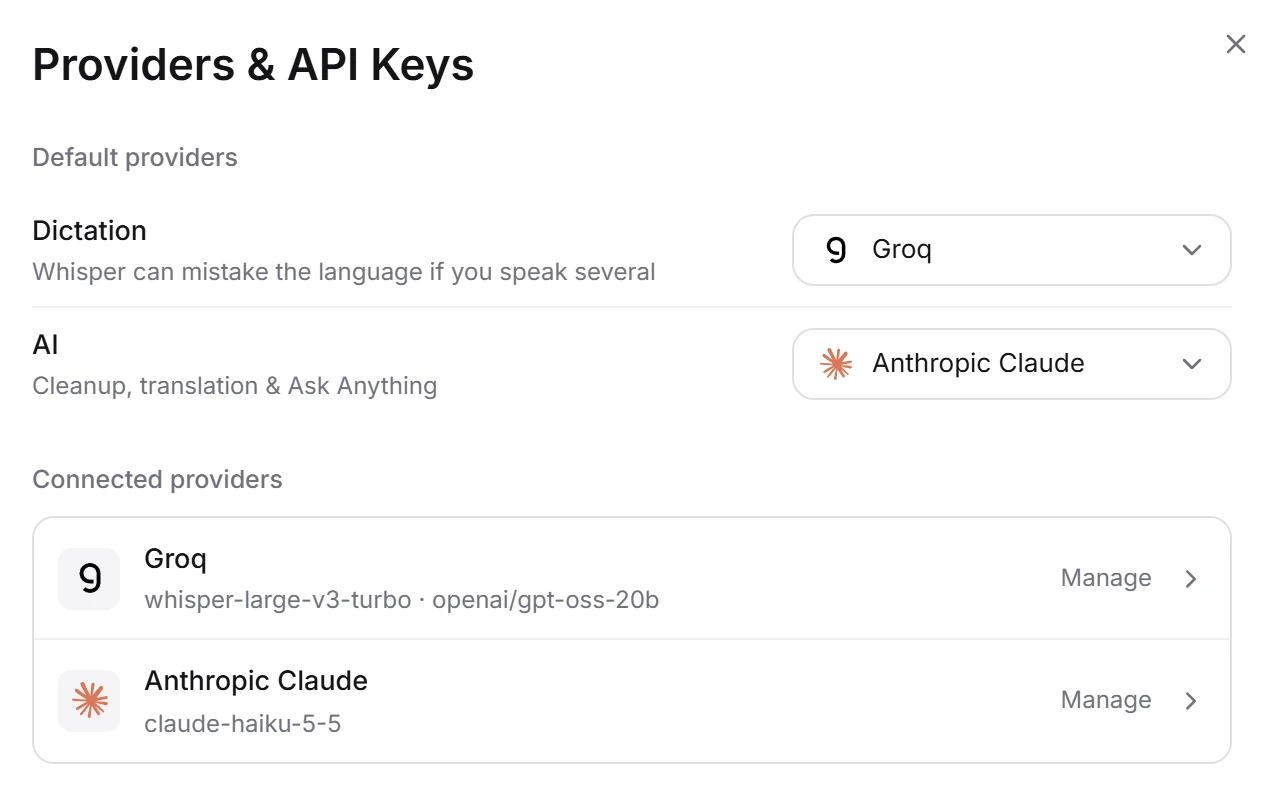
Example setup. Provider usage is billed by the service you connect.
A work chat isn’t a group chat. Pick a starting style for each kind of place, or let Yap Yap learn yours as you dictate and from the edits you make right after it pastes.
Ask for a rule in your own words, like “never end messages with a period.” Correct, reset, or switch off anything it has learned.
Manage rules and learned styles in Writing preferences.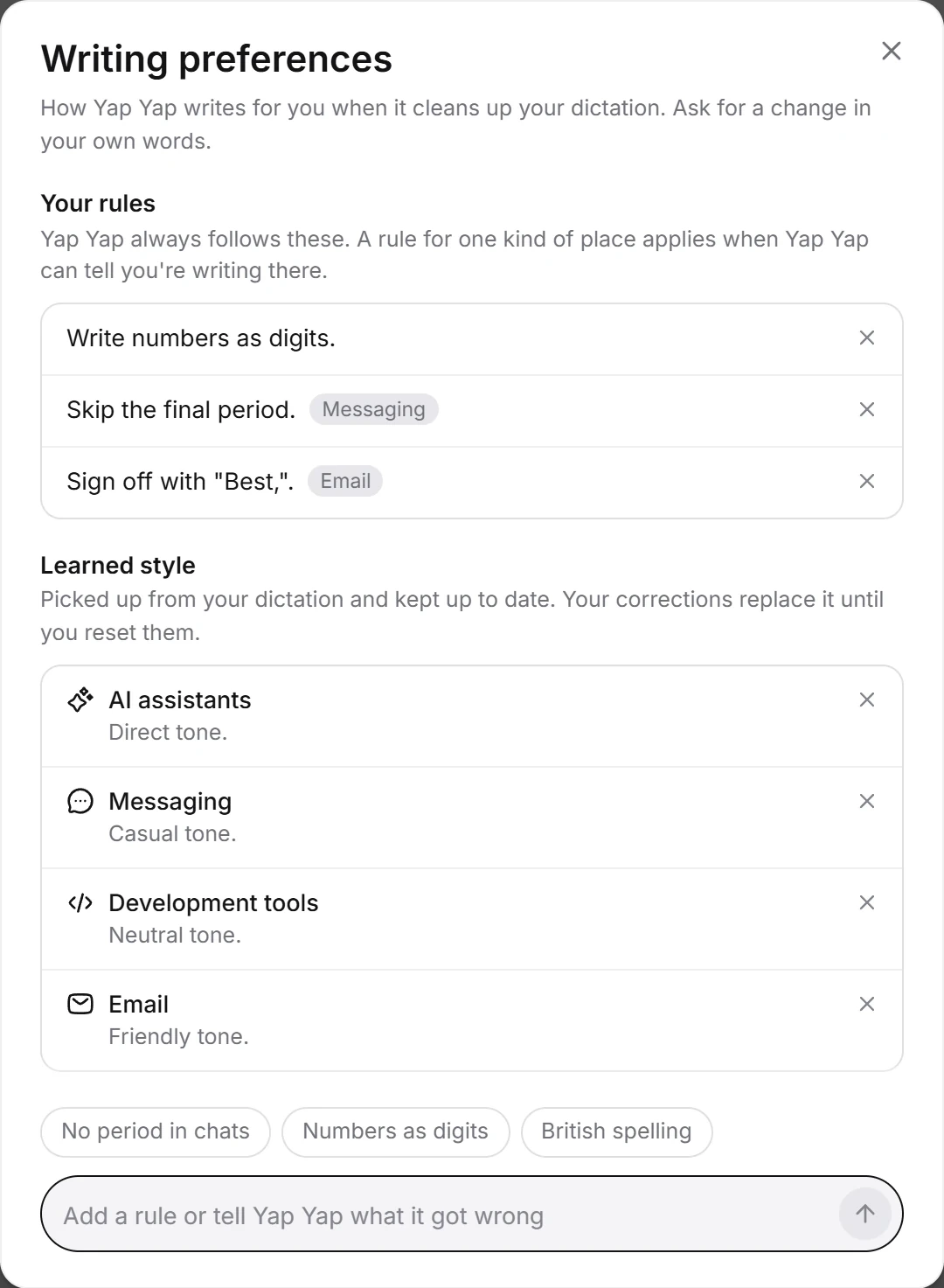
Yap Yap recognizes the app or site you’re writing in and uses that place’s style, with a default for everywhere else. Change the kind of place for any app or site, or switch learning off for one.

Every dictation stays on your device with its recording. Play it, edit the transcript, or retry it with the provider you use now, even one you cancelled. Prefer what you actually said? Undo the AI edit, and redo it if you change your mind.
Download the audio, export your history as JSON, and choose how long to keep it.
Screenshots of the app with example data.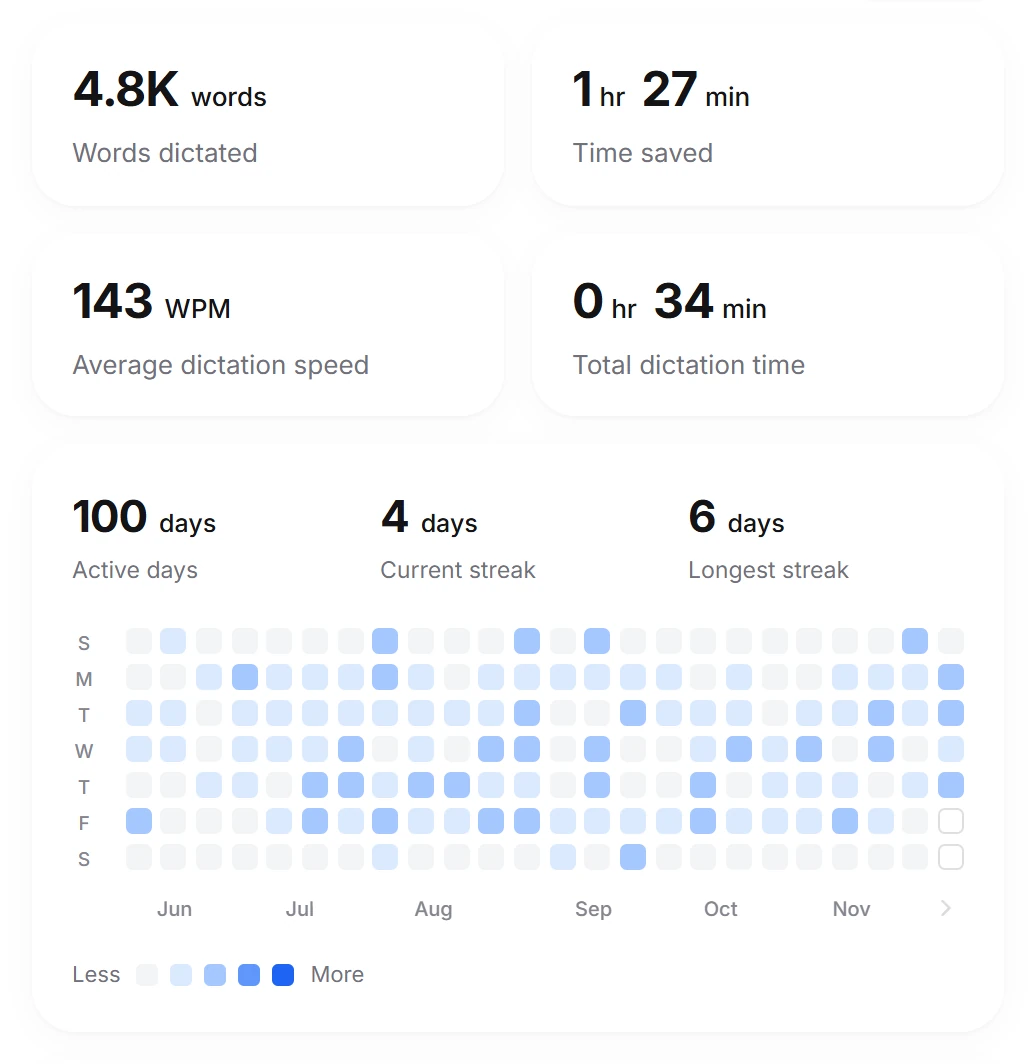
Track words dictated, estimated time saved, your speaking speed, and the days you dictate. Share an insights card when you want to show your progress.
Overall personalization: 77.3%
See how much Yap Yap has personalized, and how well it knows your style in each kind of place you write in. Edit a transcript in History to teach it the most.
Yap Yap keeps your history on this device. Your provider settings determine how voice and text are processed.
Set a retention period, export your history, or clear saved transcripts and recordings.
Cloud providers receive the audio or text needed for the task, subject to their data policies. Compatible local endpoints are also supported.
Context awareness is on by default. It can send a short excerpt around your cursor to your configured AI provider. You can switch it off in Personalization.
Here’s what to know before
your first yap.
Yap Yap puts provider choice in your hands. Bring your own API keys, choose separate providers for transcription and AI writing, or connect compatible local endpoints. You choose how much cleanup happens (None, Light, or Medium), set a writing style for each kind of place, write your own rules, and undo an AI edit from History.
Dictation, translation, personal dictionaries, and AI assistance are shared ideas. The difference is how much of the setup you can make your own.
You connect an API key from a supported provider in the desktop app. That service processes your requests and bills you under its own pricing. Yap Yap lets you choose separate providers and models for speech and AI text processing.
The website demos are examples. They don’t use your microphone, collect keys, or make AI requests.
Yap Yap itself is free and open source under the MIT license, with no subscription. You pay only the providers you connect, under their own pricing, for the audio and text you send them.
Set a cheaper model for speech or writing whenever you like. If you run compatible local models on your own computer, those steps don’t need a paid service at all.
Several providers have a free plan or free credit, such as ElevenLabs, Groq, Deepgram and Gemini. The best setups page shows a completely free combination, and the setup guide lists each provider’s prices.
Yes, through custom OpenAI-compatible endpoints. Tools such as Ollama or LM Studio can handle compatible text models, while a compatible local speech endpoint handles transcription. You’ll need to run and configure those services yourself; local text processing alone doesn’t make cloud transcription local.
Yap Yap includes Dictate, Translate, and Ask anything modes. Tell it the languages you speak, or leave it on Auto-detect, and mix languages in one sentence. Configure up to three translation targets and select the one you want to use. Supported languages and transcription quality depend on your chosen model. Right-to-left text, like Arabic, displays correctly in your dictations and History.
Just keep talking. With Light or Medium cleanup, “Tuesday, actually Wednesday” comes out as Wednesday. You can also hold your shortcut to pause and resume a recording, or press Esc to cancel it, with a few seconds to undo.
Yap Yap has been tested on Windows x64. The Apple silicon and Linux x64 builds are experimental. Their dictation, shortcuts, and pasting still need hands-on testing.
Download the installer for Windows, macOS or Linux from the download page. It’s free and open source: every release is also on GitHub, and the page explains how to run Yap Yap from source.
Go to downloadsYour voice. Your favorite AI. A little less friction.
Get Yap Yap