 Yap Yap
Hello, Yap Yap
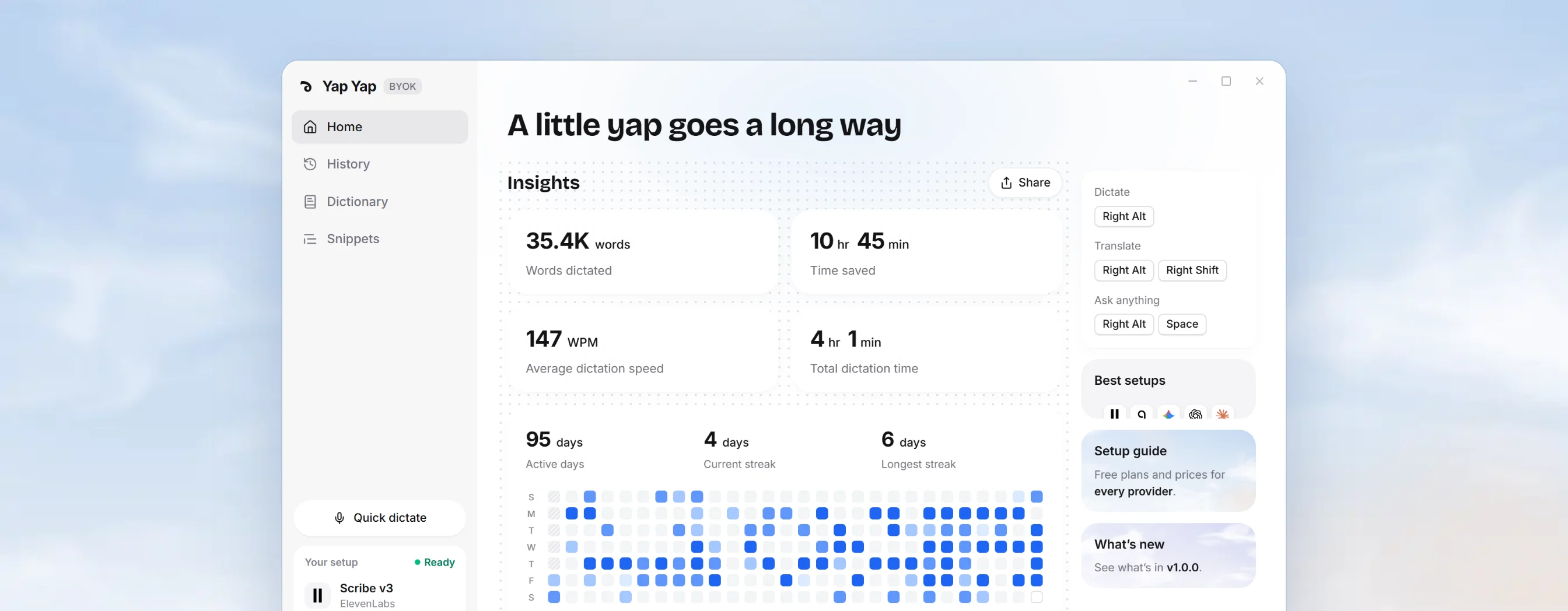
The first release of Yap Yap: voice dictation that works with the AI providers you already use. Press a shortcut anywhere you can type, speak naturally, and get clean, ready-to-send text at your cursor.
Yap Yap checks for updates at startup, and you can check any time from Settings → About. A new version appears in the sidebar: choose Download, watch the progress, then Restart now to install it. On a Mac, the verified installer is saved to your Downloads folder.
Highlights
- Three modes. Dictate, Translate into up to three target languages, and Ask anything for a ready-to-paste answer, each with its own shortcut.
- Bring your own keys. Connect Groq, OpenAI, Google Gemini, Anthropic Claude, Deepgram, ElevenLabs, OpenRouter, or any OpenAI-compatible endpoint, including local models. Use one provider for speech and another for writing.
- Cleanup levels. Pick None for your exact words, Light to lose only the ums and fix punctuation, or Medium to also reword for clarity. Cleanup keeps your dialect and emphasis, writes quantities as digits, and drops cut-off false starts.
- Snippets. Save a signature, an address or a reply you send every day. Say its phrase while dictating and Yap Yap inserts the saved text, even when the phrase includes numbers or Arabic number words.
- The recording pill. One pill that animates between waiting, recording and thinking. Tap your shortcut to finish, or hold it to pause and pick up where you left off. Press Esc to cancel, even while it’s processing, with a few seconds to undo.
- Learns how you write. Pick a writing style for each kind of place you write in and a default for everywhere else. Yap Yap learns from the edits you make, and you can see, correct or forget what it learned.
- Languages I speak. Tell Yap Yap the languages you speak, or leave it on Auto-detect. Each speech provider is told your languages, so mixed-language sentences keep their words.
- Personal dictionary. Add names and terms, correct words the recognizer keeps getting wrong, import replacements from a CSV, and keep names in the script of the sentence around them.
- Ask anything searches the web. When a question needs current facts, your provider can search the web, and the pill shows “Searching the web” while it does.
- History you control. Every dictation stays on your device with its recording. Switch any dictation back to exactly what you said, retry it with another provider, or set a retention period.
- Insights. Words dictated, time saved, speaking speed and an activity heatmap, with a card to share.
- Your setup at a glance. The sidebar shows the dictation and AI models you’re using, whether every key works, and a quick switcher for models and cleanup level. Help, About and each key form link to the setup guide, with free plans and prices for every provider.
Also in this release
- Strong noise reduction, an optional setting that removes voices and traffic behind you.
- Right Alt and other Alt or Windows-key shortcuts work on Windows without opening the focused app’s menus.
- On Mac, Yap Yap recognizes app names and the website you’re writing in.
- A silent recording says “No speech detected” instead of pasting nothing.
- ElevenLabs sound tags like “[background noise]” are kept out of your text.
- History loads as you scroll, and recordings load only when you play, download or retry them.
- An optional Keep result on clipboard setting.
- Light and dark themes, following your system or picked from the sidebar.